RATINGS
42M
DOWNLOADS
4+
AGE

 Download Latest APK
Wait a moment, your result is coming soon!

Face is not found. Please try again with another clear full-face portrait of a better quality.

Take Quiz Now
Screenshots


About this app
-
 Name Screen Guard - Privacy Screen
 -
 category Photography
 -
 Price 0
 -
 Safety 100% Safe
 -
 Developer BlueTree Lab
 -
 Version 6.0
 -
 Target Privacy Conscious
 -
 Update 2026.04.27
Related articles




Core Features
-
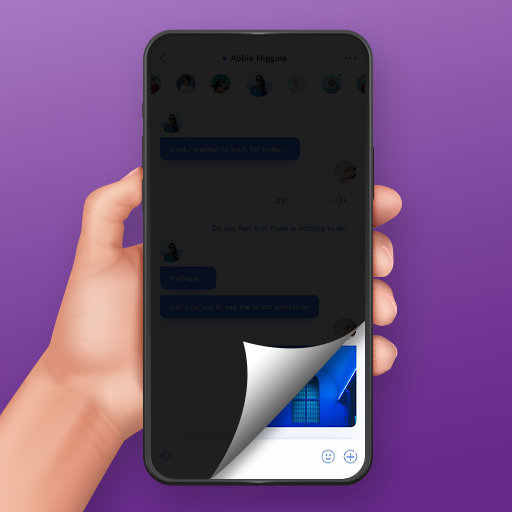
Visual Privacy OverlayApplies a customizable filter over your screen, making it difficult for people sitting next to you to read your messages, emails, or sensitive content in public spaces like buses or offices.
-
Customizable Patterns & ColorsOffers a diverse selection of patterns and color tints, allowing users to choose a filter that balances effective privacy masking with desired screen readability.
-
Blue Light & Anti-Glare FilterFunctions as a screen dimmer and blue light reducer by adjusting color and transparency settings, helping to reduce eye strain during nighttime use or in bright, glary environments.
-
Real-time Transparency ControlFeatures a simple, accessible in-app menu that allows users to instantly toggle the filter on/off or adjust the level of transparency based on their immediate privacy needs.
Pros
-
Intuitive User InterfaceThe design is straightforward and user-friendly, ensuring that users can activate privacy protection without navigating through complex settings.
-
Dual-Purpose FunctionalitySuccessfully combines privacy protection with health-conscious features like blue light filtering, providing value beyond just screen masking.
-
Lightweight PerformanceDesigned to operate efficiently without consuming excessive system resources, maintaining smooth device performance even while the filter is active.
Cons
-
System Overlay LimitationsAs an overlay app, it may face restrictions on certain protected system screens (like permission dialogs or the lock screen) where Android prevents overlays for security reasons.
-
Battery ImpactKeeping a persistent filter active as an overlay process may lead to a slightly higher battery drain compared to a phone without the app installed.
Price
-
Free AccessThe app is provided as a free utility, offering full access to the core privacy filter, pattern, and color customization features without an initial purchase cost.
Ratings
3.2
1.6K votes
-
5
-
4
-
3
-
2
-
1