RATINGS
145M
DOWNLOADS
4+
AGE

 Download Latest APK
Wait a moment, your result is coming soon!

Face is not found. Please try again with another clear full-face portrait of a better quality.

Take Quiz Now
Screenshots



About this app
-
 Name AI Logo Maker, AI Design: Hexa
 -
 category Art & Design
 -
 Price 0
 -
 Safety 100% Safe
 -
 Developer Superapp Labs
 -
 Version 7.1
 -
 Target Creative Individuals
 -
 Update 2025.08.30
Related articles
Core Features
-
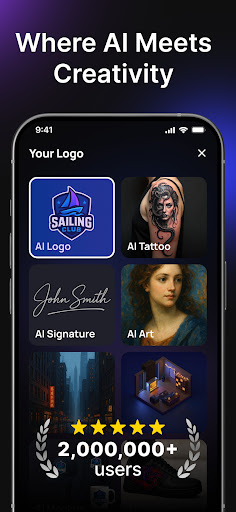
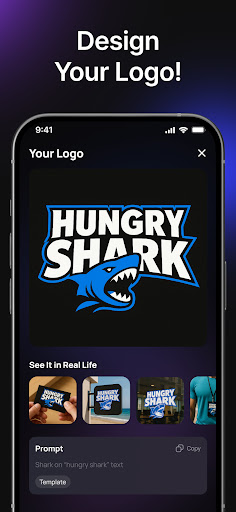
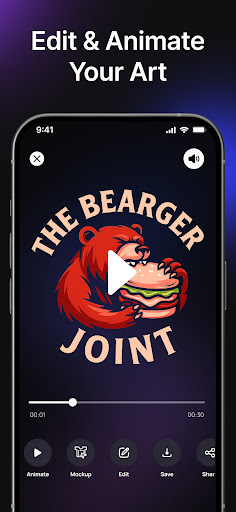
AI Logo GenerationCreate custom logos in seconds by simply entering prompts or selecting layouts. The AI analyzes your brand's name and keywords to generate multiple unique logo concepts tailored to your vision.
-
Product Photography EditorTransform product images into professional photos through an intuitive prompt-based process. Describe your item or select a design layout to produce high-quality visuals that enhance your brand's identity.
-
Album Cover CreatorBring your music to life with personalized album covers. Upload your photo and describe your artistic vision, and let Hexa generate striking album cover designs that capture your unique style.
-
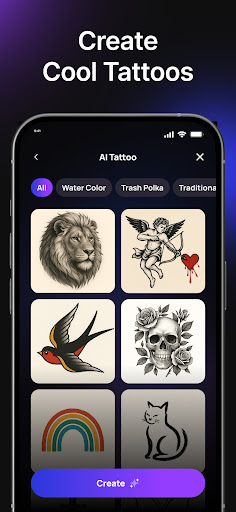
Tattoo Design GeneratorDesign custom tattoos effortlessly by describing your ideal design or choosing a layout. Hexa's AI interprets your descriptions to create unique tattoo ideas and styles that resonate with your imagination.
-
Interior Design VisualizerReimagine your living spaces through AI-driven interior design tools. Simply upload images of your rooms and describe your design preferences to receive elegant AI-generated room layouts.
Pros
-
User-Friendly InterfaceThe app's intuitive design makes it accessible for users of all skill levels, allowing anyone to create striking visuals and designs with minimal effort.
-
Prompt-Driven PersonalizationHexa emphasizes unique, personalized outputs by utilizing user prompts rather than generic templates, ensuring each creation aligns perfectly with user intentions.
-
Multiple Design CapabilitiesCombines various design functions—logo creation, product photography, album covers, tattoos, and interior design—into one versatile platform, maximizing creative possibilities.
-
High-Quality OutputsDelivers professional-grade designs and images that can be proudly used for branding, personal projects, or promotional materials, enhancing users' creative work.
-
Versatile UsageSuitable for various users, including entrepreneurs, artists, and homeowners, making it an inclusive tool for numerous design needs.
Cons
-
Dependency on PromptsResult quality heavily relies on the clarity and specificity of user prompts. Vague descriptions may lead to less satisfactory output, requiring users to refine their input.
-
Learning Curve for Advanced FeaturesWhile basic functions are user-friendly, utilizing the app's more advanced features may require some practice and time to master for optimal results.
-
Device Performance RequirementFor high-resolution designs and outputs, users with lower-end devices may experience lag or slower processing times, potentially limiting the user experience.
Price
-
Free VersionThe free version includes basic functions such as logo creation and simple design edits, providing users with essential tools to start their creative journey.
-
Premium SubscriptionUpgrading to the premium version unlocks advanced features such as enhanced design capabilities, high-resolution exports, and access to exclusive templates and styles, making it ideal for serious creators.
Ratings
4.2
58.9K votes
-
5
-
4
-
3
-
2
-
1